Daily cash reconciliation for Philippine shops and cafés
A worked closing procedure for Philippine shops and cafés: reconcile a peso drawer, match merchant QR transactions, trace settlement deductions, and hand over open items.

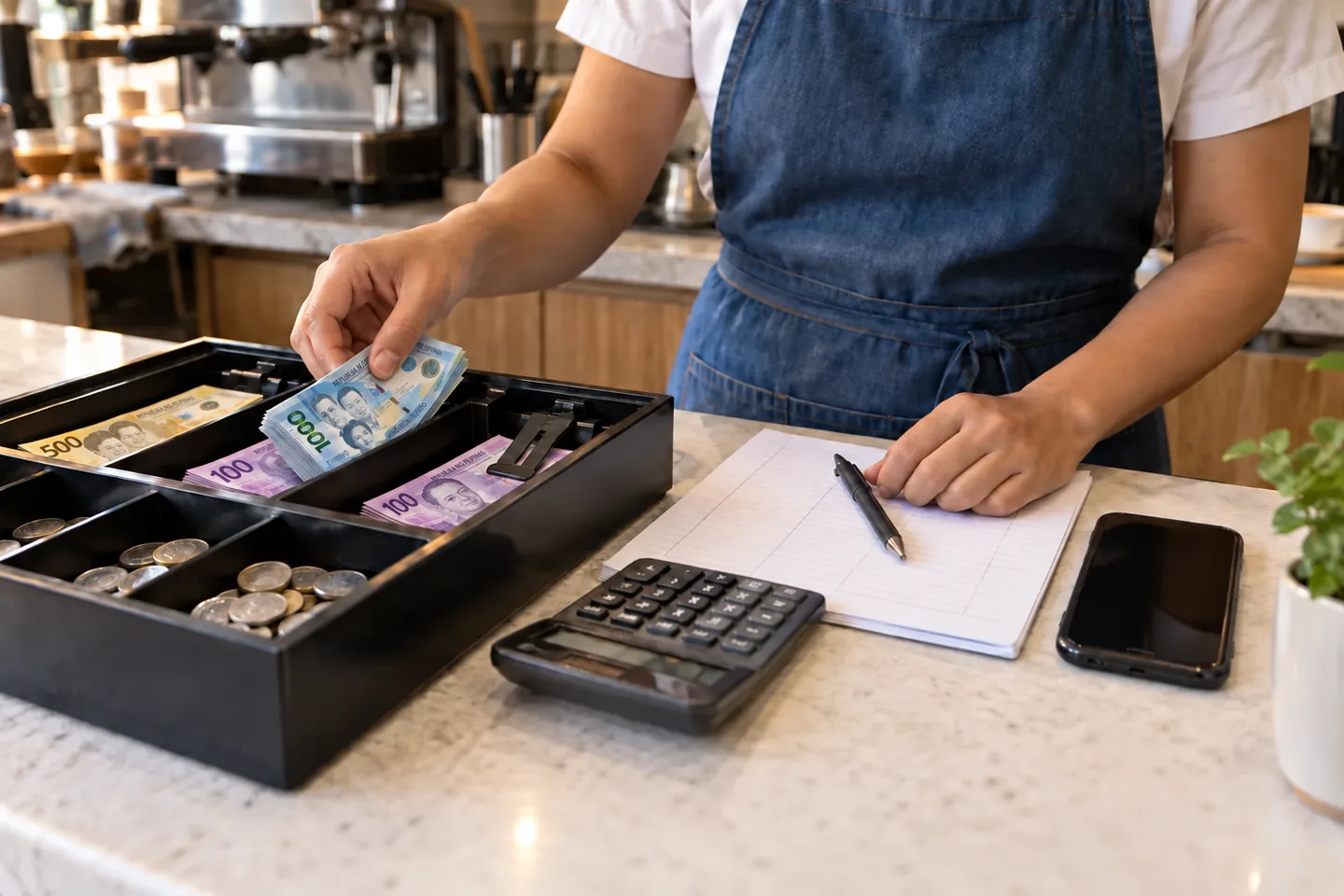
Daily cash reconciliation is the process of comparing the cash you expect to have with the cash actually in the drawer. Start with the opening float, add cash collected, subtract recorded cash refunds and removals, then compare that result with a physical count.
For a shop or café in the Philippines, keep a peso cash count separate from card, e-wallet, and merchant QR records. Use the same Philippine-time cutoff for the POS report and each provider report, checking whether an exported file uses another time zone. A sale recorded as an e-wallet payment does not explain extra notes in the drawer, and a card settlement may reach your account at a different time from the sale.
Finish with three separate conclusions: cash counted against expected cash; recorded non-cash payments matched to provider transactions; and settled funds matched to the receiving account. The worked cash count, QR comparison, and settlement bridge below show how to record each result without hiding an unresolved difference.
Record the opening float
Count the money placed in the drawer before trading begins. Record the total, date, time, and person responsible. This amount is available for making change; it is not a sale.
If a drawer passes between staff members, agree on how the handover is counted and documented. A clear handover helps narrow down when a difference occurred.
Put the store, drawer, business date, shift start/end timestamps, cashier, and person counting on the closing record. For an overnight shift, include both calendar dates. Where staffing permits, have another person check the count; if the owner works alone, retain the count and movement references for later review. These are recommended controls, not a claim that every Philippine shop must use the same form.
Keep a record of cash moving out
Cash refunds, cash removed for safekeeping, and approved cash expenses all affect the expected drawer balance. Give each movement a record with an amount, reason, time, and person responsible.
Avoid leaving informal notes for someone to interpret after closing. If you use a POS, check how each type of movement appears in the closing report. Record any movement outside the system in the same reconciliation worksheet.
Calculate the expected closing cash
Use this structure for a straightforward drawer:
Expected closing cash = opening float
  + cash received from sales
  + other recorded cash additions
  - cash refunds
  - recorded cash removals
For illustration, an opening float of ₱1,000 plus ₱4,500 in cash sales, minus a ₱200 cash refund and ₱1,500 removed for safekeeping, leaves ₱3,800 expected in the drawer. These are hypothetical amounts showing the calculation.
Check whether your report already subtracts refunds from its cash-sales figure. Subtracting the same refund twice creates an artificial shortage.
In this example, a report showing ₱4,300 net cash sales already includes the ₱200 refund. Use ₱1,000 + ₱4,300 − ₱1,500 = ₱3,800, with no second refund subtraction. Also distinguish cash tendered from the amount retained after giving change. A customer’s ₱500 note for a ₱150 cash sale contributes ₱150 to cash received from sales, not ₱500.
Count the drawer and investigate differences
Count by denomination and record the actual total. Compare it with the expected total using the same cutoff.
If the amounts differ, recount first. Then check:
- Sales assigned to the wrong payment method.
- Refunds recorded twice or omitted.
- Cash removals without a matching record.
- Transactions entered after the report’s cutoff.
- An incorrect opening float or change calculation.
Document the difference even if you cannot explain it immediately. Do not change a sales figure just to make the drawer balance. Assign someone to follow up, with a note of what was checked.
Worked peso count and cash variance
Continuing the hypothetical ₱3,800 expected drawer, suppose the count at cutoff is:
| Denomination counted | Number of notes/coins | Subtotal |
|---|---|---|
| ₱1,000 | 2 | ₱2,000 |
| ₱500 | 2 | ₱1,000 |
| ₱100 | 5 | ₱500 |
| ₱50 | 4 | ₱200 |
| ₱20 | 2 | ₱40 |
| ₱10 | 1 | ₱10 |
| Actual closing cash | ₱3,750 |
This abbreviated count lists only denominations present in the example. Include every denomination actually held, including centavo coins, on your own count sheet.
Cash variance = actual closing cash − expected closing cash = ₱3,750 − ₱3,800 = −₱50. The negative result is a shortage; a positive result is an overage. Keep the ₱50 open after recounting if the records do not explain it. An overage in one drawer or a pending QR payment does not resolve this drawer’s shortage.
Record the count before removing the closing deposit or next-shift float. In this example, retaining ₱1,000 for tomorrow leaves ₱3,750 − ₱1,000 = ₱2,750 to remove after the count. Together with the earlier ₱1,500 removal, ₱4,250 has left the drawer for safekeeping/deposit. Match both transfers to custody records and, when deposited, bank evidence; cash removed is not automatically cash banked. Do not subtract that final ₱2,750 from the same cutoff’s expected balance again.
Reconcile non-cash payments separately
Compare card and e-wallet records with the relevant provider’s transaction records. Look for missing, pending, reversed, or duplicated payments. Use transaction references, not only daily totals, when investigating a discrepancy.
A provider may settle transactions later or deduct fees. Keep the transaction comparison separate from the later bank-deposit comparison so timing and fees do not look like unexplained missing sales. Confirm the provider’s actual settlement terms for your account.
Match QR Ph sales to the receiving merchant account
The BSP’s QR Ph guidance explains that its interoperable standard supports payments between participating banks and electronic money issuers. For closing, identify the merchant account that received each payment rather than grouping transactions solely by the app the customer used to scan the code.
Suppose, as an illustration, your POS records ₱2,000 in merchant QR sales. Match the transactions to the receiving provider’s records using the reference, amount, and time. Keep those sales out of the physical cash count. Investigate a missing or reversed payment using the merchant’s own account records; a customer’s screenshot alone does not reconcile the account. Confirm any fees, refunds, and settlement timing with your actual provider instead of assuming all Philippine banks and e-wallets use the same terms.
Worked QR transaction comparison
Break that hypothetical ₱2,000 into individual payments. These references are invented for illustration.
| POS payment | Merchant-side evidence at cutoff | Closing treatment |
|---|---|---|
| Q101: ₱1,200 QR | Successful ₱1,200 payment to the intended account, with matched reference/time. | ₱1,200 matched. |
| Q102: ₱800 QR | No matching successful payment found yet. | ₱800 unresolved; assign follow-up. |
The POS total is ₱2,000, while only ₱1,200 is supported by matched successful provider transactions at this cutoff. The remaining ₱800 is an unmatched payment, not proof of a provider delay or a cash shortage. Verify the receiving account, reference, transaction status, and report coverage. If POS and provider references differ, retain both and the evidence connecting them; an equal amount alone may match the wrong customer.
For split payments, match only the QR portion to the provider. Keep cash portions in the drawer calculation. Link reversals and refunds to the original transaction and their own processing dates, so an adjustment made tomorrow does not silently change today’s saved report.
As a provider-specific reporting example, GCash for Business’s In-store QR guidance describes transaction/settlement reports and asks merchants raising reconciliation concerns for bank evidence and their findings. BSP and GCash sources checked September 12, 2026. Use the reports and support process for your actual merchant product; this example does not establish the terms for other GCash products, banks, or e-wallets.
Bridge a matched batch to the bank credit
Settlement reconciliation compares a provider’s payout batch with the money credited to the nominated bank or merchant account. Work by batch and settlement date, which may differ from the business date. A bank credit may combine several trading days or exclude transactions outside a provider cutoff.
- Identify the settled transactions and their batch reference. Carry unsettled transactions forward separately.
- Start from the batch’s gross included payments and list each documented refund, fee, withholding, reserve, or other adjustment that actually applies. Check whether the report already shows a net figure before subtracting anything.
- Compare the expected net payout with the actual credit and its reference/date. Keep a documented timing item open until matched; investigate it when the provider’s applicable expected date passes.
Continuing the hypothetical QR example, suppose Q102 is subsequently confirmed and a later batch includes both Q101 and Q102. The batch reports ₱2,000 gross payments, a ₱100 refund, and a ₱20 fee, with no other adjustments:
Expected settlement = ₱2,000 − ₱100 − ₱20 = ₱1,880.
A matching ₱1,880 bank credit reconciles this batch. The ₱120 difference from gross payments is explained by the two documented deductions; it is not an unexplained loss. The fee, refund, and sequence here are hypothetical, not GCash pricing or a promised settlement schedule. If Q102 remains unconfirmed, do not include it as successfully collected merely to reach ₱2,000.
Route exceptions to the right follow-up
| Finding | Check next | Close the item when… |
|---|---|---|
| Cash count differs from expected cash | Recount, float, tender classification, refunds, and cash movements. | The cause and any correction are documented; otherwise carry the unexplained variance forward for authorized review. |
| POS payment has no provider match | Account, cutoff/time zone, reference, and pending/reversed status. | The payment is verified or the failed/misclassified payment is corrected with a record. |
| Provider payment has no POS match | Missing sale, duplicate entry, wrong business date, or payment unrelated to this shift. | It is linked to the appropriate record and any correction is documented. |
| Bank credit differs from provider batch | Included transactions, deductions, partial payout, and bank reference. | The net amount matches or the provider resolves the documented discrepancy. |
For each exception retain: business date; drawer/account; POS and provider references; amount; observed status; evidence checked; next action; owner; follow-up date; resolution. Keep “resolved” distinct from “carried forward.” A manager accepting an unexplained variance for review does not make its cause known.
Leave a usable handover for tomorrow
Save the closing report, count sheet, and notes about unresolved items together. Record the float retained for the next shift and the cash removed for deposit or safekeeping, following your business’s handling procedure.
The closing routine should leave the next person with three clear answers: what was recorded, what was counted, and what still needs attention. If your current reports make that difficult, use our POS selection guide to identify the reporting tasks worth testing.
Practical knowledge. A clearer next step.
More from Sentra Insights